
IPTV works by sending live TV channels and on-demand video over an internet connection instead of through cable lines, satellite dishes, or antennas. A provider captures content, compresses it into digital streams, and delivers it in small data packets to your TV, phone, or streaming box. In this guide you will learn each step of that process, the main types of IPTV, how it compares with cable, satellite, and OTT streaming, and what you need to watch it at home.
What Is IPTV?
IPTV stands for Internet Protocol Television. It is a method of delivering television content using the same Internet Protocol (IP) that carries web pages, email, and video calls. Instead of broadcasting every channel at once over a dedicated signal, IPTV sends the program you request as a stream of data.
The term covers two related models. Telecom operators run managed IPTV over their own private networks, often bundled with home broadband. Other services deliver IPTV over the open internet, which works on any connection but depends more on the quality of your line.
How Does IPTV Work Step by Step?
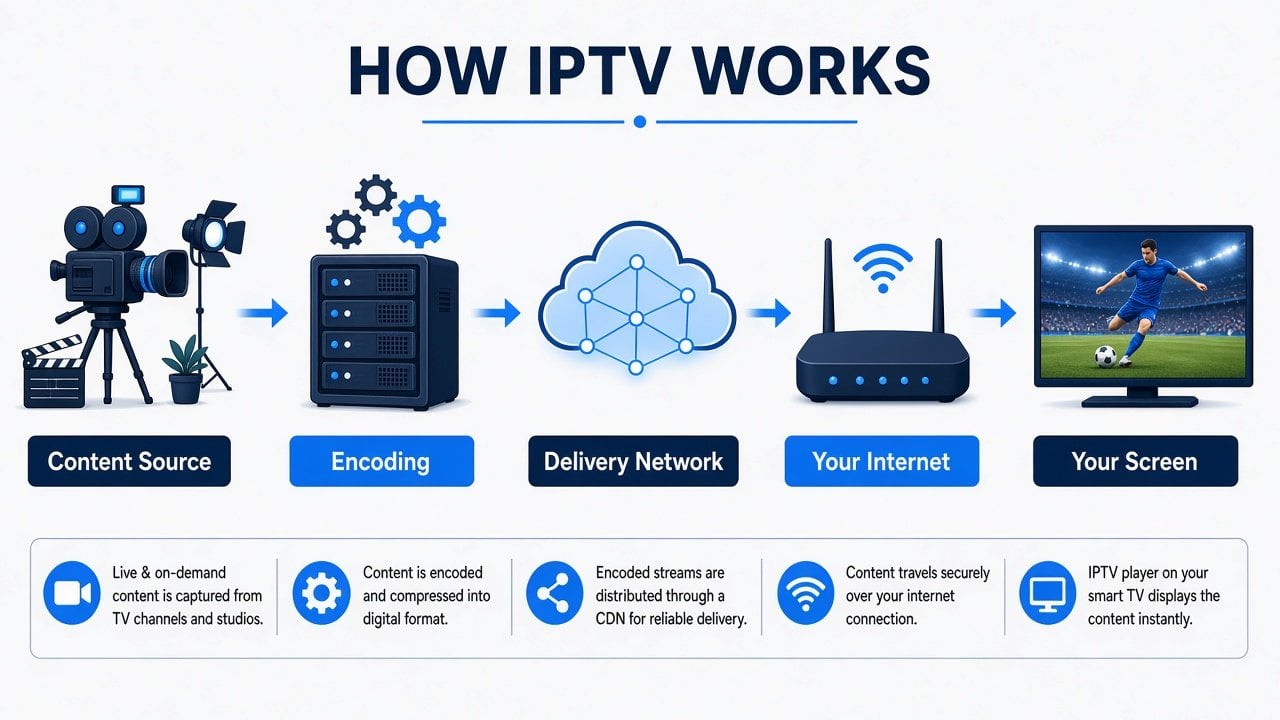
Every IPTV service follows a similar chain, from the moment a signal is captured to the moment a picture appears on your screen. Each stage has a specific job, and a weakness at any point can cause buffering or poor picture quality.
Content Acquisition and Ingest
The process starts at the head end, the provider’s central facility. Here the service receives live channels from satellite feeds, fiber links, or direct broadcaster connections, along with movie and series files for on-demand libraries. These inputs are collected and prepared for processing, a stage often called ingest.
Encoding and Transcoding
Raw video is far too large to send over a home connection, so it is compressed using codecs such as H.264 (AVC) or H.265 (HEVC). Transcoding then creates several versions of each stream at different resolutions and bitrates. This lets the service match the stream to each viewer’s connection speed and device.
Many services also apply digital rights management (DRM) encryption at this stage. DRM protects licensed content so it can only be played by authorized apps and devices.
Middleware and the User Interface
Middleware is the software layer that ties the service together. It handles subscriber logins, channel lineups, the electronic program guide (EPG), billing, and the menus you browse. When you select a channel or a movie, the middleware tells the system which stream to send to your device.
Content Delivery Networks
A content delivery network (CDN) is a group of servers spread across different regions. Copies of popular streams are cached on servers close to viewers, which cuts the distance data must travel. This reduces lag and helps the service handle large audiences during busy events such as major sports matches.
Streaming Protocols: Multicast, Unicast, and HLS
IPTV uses different delivery methods depending on the type of content and network. The table below shows the most common ones.
| Method | How It Works | Typical Use |
|---|---|---|
| Multicast | One stream is sent once and shared by every viewer watching the same channel on the network | Live TV on managed operator networks |
| Unicast | Each viewer receives a separate, individual stream | Video on demand and catch-up TV |
| HLS | Video is split into short segments delivered over standard web connections, with quality adjusting to bandwidth | Apps and internet-based IPTV services |
| MPEG-DASH | An open adaptive streaming standard that works much like HLS | Smart TV and browser playback |
Multicast is efficient because the network carries one copy of a channel no matter how many homes tune in. Adaptive protocols like HLS are better suited to the open internet, where connection speeds change from moment to moment.
Decoding on Your Device
The final step happens in your home. A set-top box, smart TV app, or streaming stick receives the data packets, reassembles them in order, and decodes the compressed video back into pictures and sound. The device also displays the EPG and sends your remote control commands back to the middleware.
What Are the Main Types of IPTV?
IPTV services usually offer three formats. Most providers combine all of them inside one app or box.
| Type | What It Means | Example |
|---|---|---|
| Live IPTV | Channels streamed in real time, as they are broadcast | News, live sports, and regular TV channels |
| Video on Demand (VOD) | A library of stored content you can start whenever you like | Movies and complete TV series |
| Time-Shifted and Catch-Up TV | Recently aired programs saved for later viewing, or the option to restart a show already in progress | Watching last night’s episode the next day |
Some services also include a network DVR feature. This records programs on the provider’s servers instead of a hard drive in your home.
How Is IPTV Different From Cable, Satellite, and OTT?
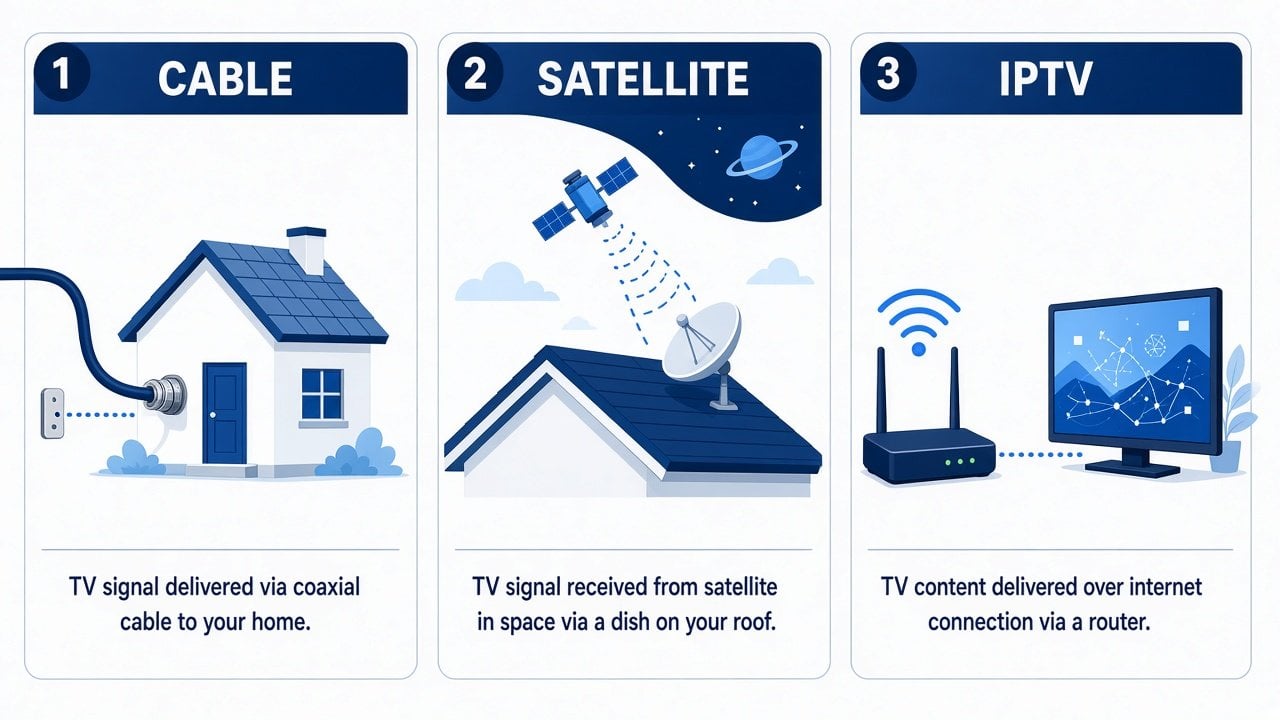
IPTV is often confused with other ways of watching TV. The key differences come down to how the signal travels and who controls the network.
| Feature | IPTV | Cable TV | Satellite TV | OTT Streaming |
|---|---|---|---|---|
| Delivery path | Internet Protocol networks | Coaxial or fiber cable | Signals from orbiting satellites to a dish | Open public internet |
| Content model | Live channels plus on-demand | Mostly scheduled live channels | Mostly scheduled live channels | Mostly on-demand, some live |
| Equipment | Set-top box, app, or smart TV | Cable box | Dish and receiver | App on any connected device |
| Network control | Often managed by the operator | Managed by the cable company | Managed by the satellite operator | No control over the viewer’s network |
| Weather impact | Not directly affected | Rarely affected | Can be disrupted by heavy rain or snow | Not directly affected |
The line between IPTV and OTT has blurred over time. A simple way to separate them is that classic IPTV is usually a managed, subscription TV service with channel lineups, while OTT apps deliver content over any internet connection without network quality guarantees.
What Do You Need to Watch IPTV?
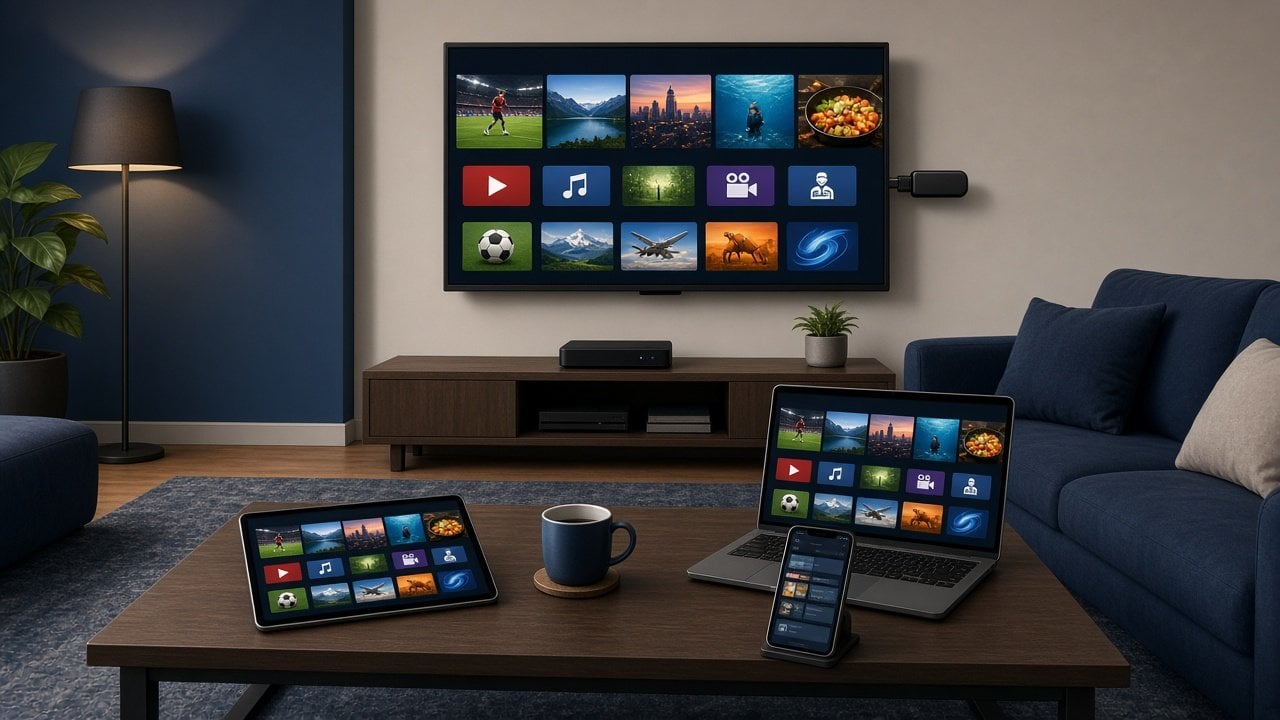
Getting started does not require special wiring. You need three things: a reliable internet connection, a compatible device, and an app or box from a service you subscribe to.
Internet Speed
Bandwidth needs depend on picture quality and the provider’s compression. As a general guide, standard definition needs a few megabits per second, HD needs more, and 4K needs the most. Check your provider’s stated requirements and leave headroom if other people in the home use the connection at the same time.
A wired Ethernet connection is usually more stable than Wi-Fi. If you must use wireless, placing the router closer to the TV can reduce interruptions.
Devices and Apps
- Set-top boxes: often supplied by telecom operators for their managed IPTV service.
- Streaming sticks and boxes: devices such as Fire TV, Android TV boxes, Apple TV, and Roku can run IPTV apps where available.
- Smart TVs: many models support IPTV apps from their built-in app stores.
- Phones, tablets, and computers: useful for watching on the go through a provider’s app or a compatible player.
Many services require their own app, while others give you a playlist link or login that works with a third-party player. Always follow the setup instructions from your provider.
Is IPTV Legal?
IPTV as a technology is legal and is used by major telecom companies and broadcasters around the world. What matters is whether the service holds the rights to the content it streams. Licensed services pay for distribution rights, while unlicensed services rebroadcast channels without permission.
Laws on providing and watching unlicensed streams vary by country, and penalties can differ widely. Before subscribing, check that a service is properly licensed and review the rules where you live.
What Are the Limitations of IPTV?
IPTV offers flexibility, but it is not perfect. The table below summarizes the main strengths and weaknesses.
| Pros | Cons |
|---|---|
| Live TV, on-demand, and catch-up in one place | Quality depends on your internet connection |
| Works on many devices, including phones and smart TVs | Buffering can occur during network congestion |
| No dish or coaxial wiring needed | Live streams may run slightly behind broadcast TV |
| Interactive guides and restart features | Unlicensed services carry legal and security risks |
| Easy to add or change packages on many services | Channel availability can vary by region |
Latency is worth noting for sports fans. Because streams are encoded, buffered, and delivered in segments, an internet stream can lag behind a traditional broadcast by several seconds or more.
How IPTV Turns Data Into Television
IPTV replaces broadcast signals with data packets. Providers capture and compress content, manage it through middleware, push it across delivery networks, and let your device decode it into live channels, on-demand titles, and catch-up programs. With a stable connection, a compatible device, and a properly licensed service, it can be a flexible alternative to cable and satellite.